
People abandon Notion when a second active client shows up and you need to run tasks, invoices and deadlines at the same time — the tool survives only if it has one dashboard for everything; the moment you have to switch between pages, Telegram opens instead.
That’s not Notion’s fault. Notion is a builder. Trello is a task board. Neither knows what a client, a payment or a follow-up is until you build it yourself. The real problem is that a freelancer isn’t a manager with dedicated time to build a system.
Three signs it’s time to switch tools
1. You can’t see revenue per client without counting it by hand
Open wherever you keep track of clients. Find out how much a specific client has paid you over the past three months.
If that means opening a bank statement, reaching for a calculator, or trying to remember — the tool isn’t holding the money. You are.
From my own records: one client made 14 payments, another made 153. The difference in average payment size between them is 18 times — and not in favour of the one who paid more often. Without a system that shows this, I’d still be assuming the second client was the more profitable one, just because they were “regular”.
2. You don’t know how many leads you lost this month
A lead wrote in. You saw it. You didn’t reply — not because you didn’t want to, but because you had four other things in progress. A week later, you don’t remember.
I only started counting once I set up proper tracking. Over six months, more than 400 requests passed through my hands that I never replied to at all. Not declined — just never got to them.
If you can’t name the number of leads you lost this month, you don’t know how much money is passing you by.
3. Follow-up depends on memory, not on a reminder
You delivered the work. The client goes quiet. Two weeks later you remember: “wait, what happened with that project?”
But it’s already too late — either the client found someone else, or the moment has passed.
When follow-up lives in your head, it competes with everything else: deadlines, errands, anxiety. Your head loses, because that’s not what it’s for.
A tool with no automatic reminder saying “you haven’t written to this client in 10 days” doesn’t solve this. It just stores information. Storing isn’t the problem. Not forgetting is.
Notion is powerful. Just not for this
Notion demands two things from you at once: design the structure, and maintain it. A manager at a company has time set aside for a CRM. A freelancer doesn’t.
When you don’t need to switch
If you have two or three clients and haven’t lost a single one, your head is enough. Seriously.
From what I’ve seen, the problem starts once you have five clients or more, or when you have leads running in parallel that need managing. Or the first time you realise you forgot to reply — and it cost you money.
What’s next
These three signs aren’t an argument for any particular tool. They’re a test for whatever you’re using right now.
If you recognise even one of them, here are three questions to help you choose a tool:
- Can I see revenue per client at a glance, without a calculator?
- Is there an automatic follow-up reminder?
- Do I know how many leads I lost this month?
If your tool answers “yes” to all three, it’s working, whatever it happens to be. If not, look for something with a built-in client card, a payment tracker, and reminders.
What these three signs look like in Pivona
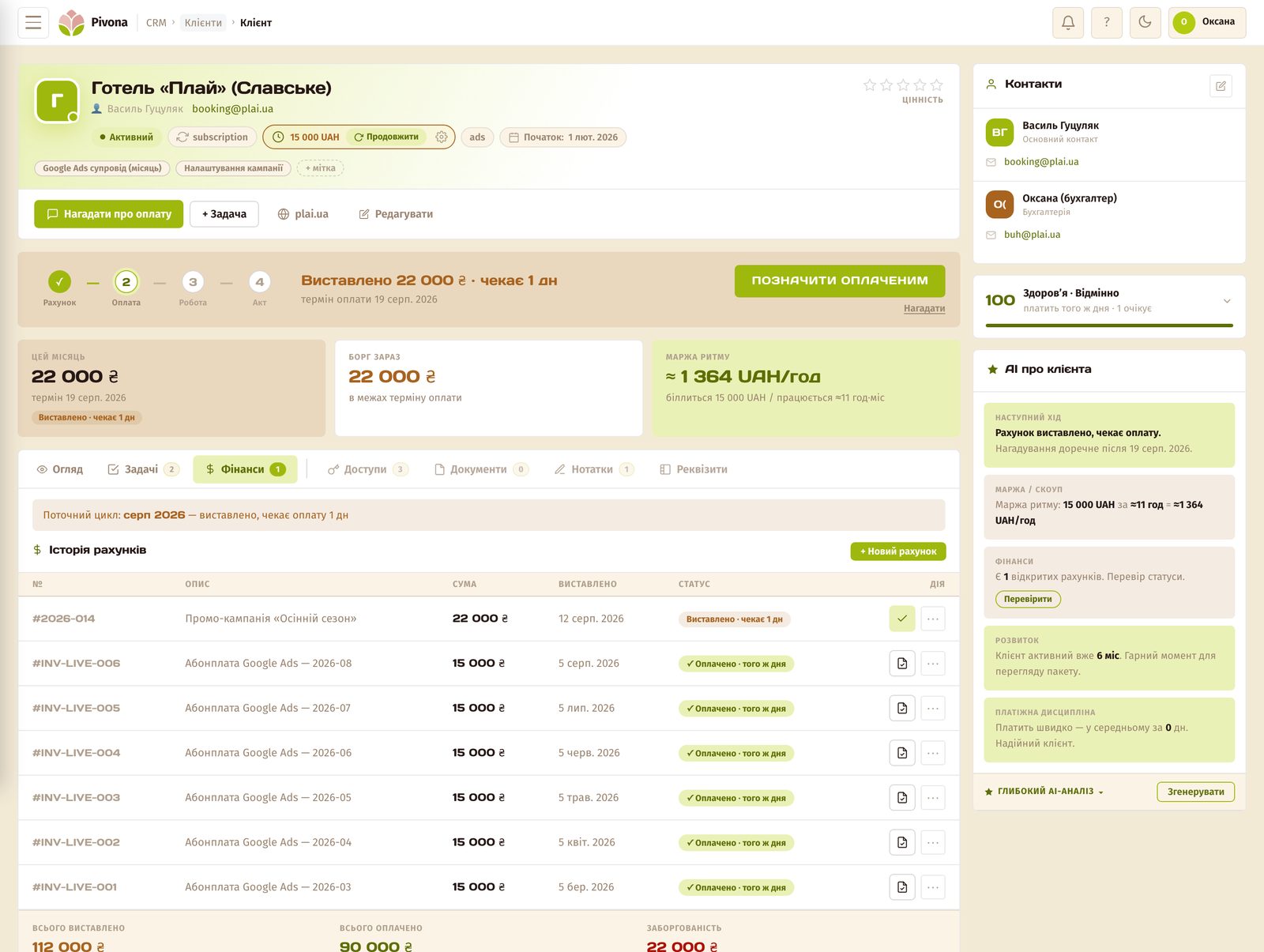
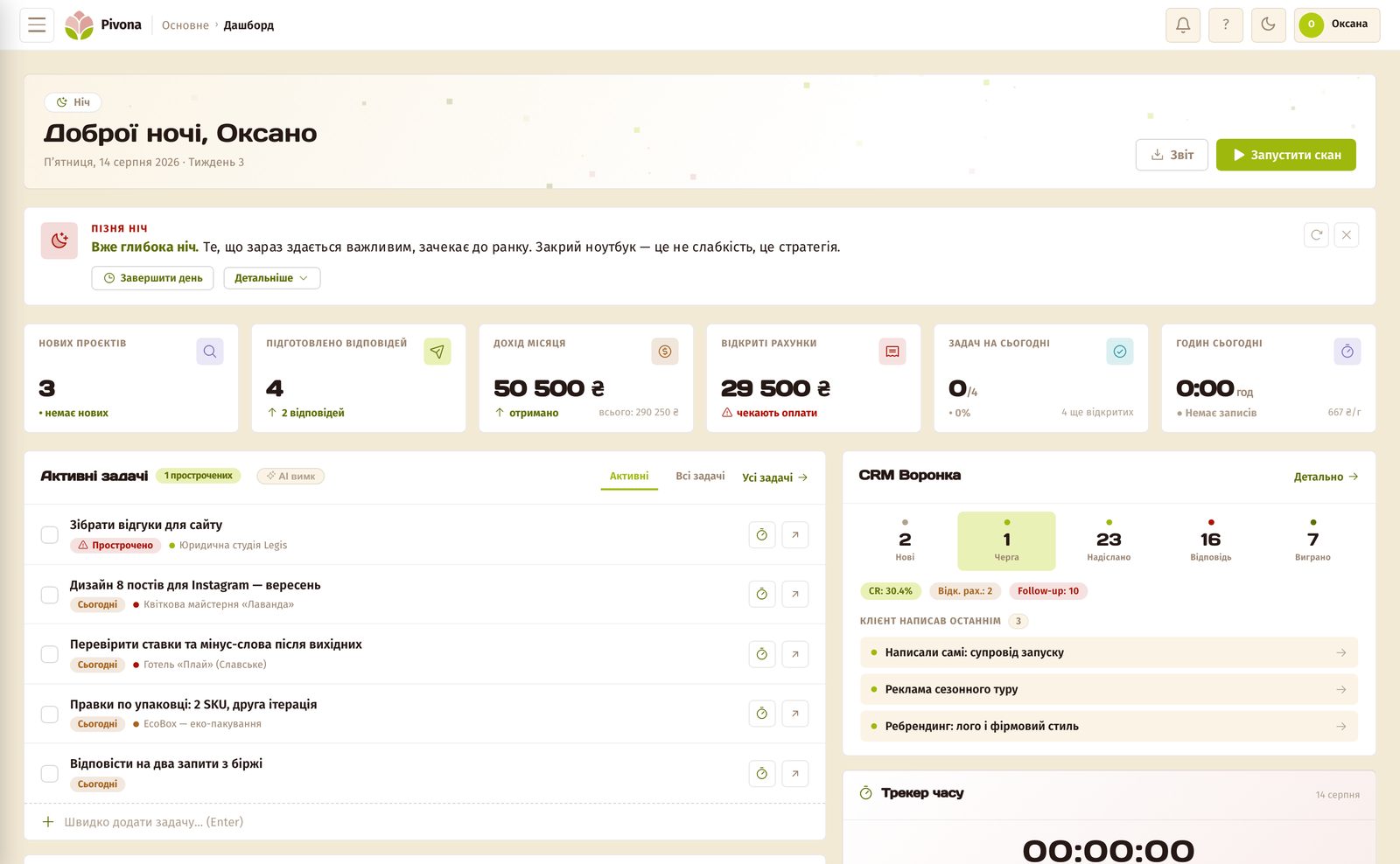
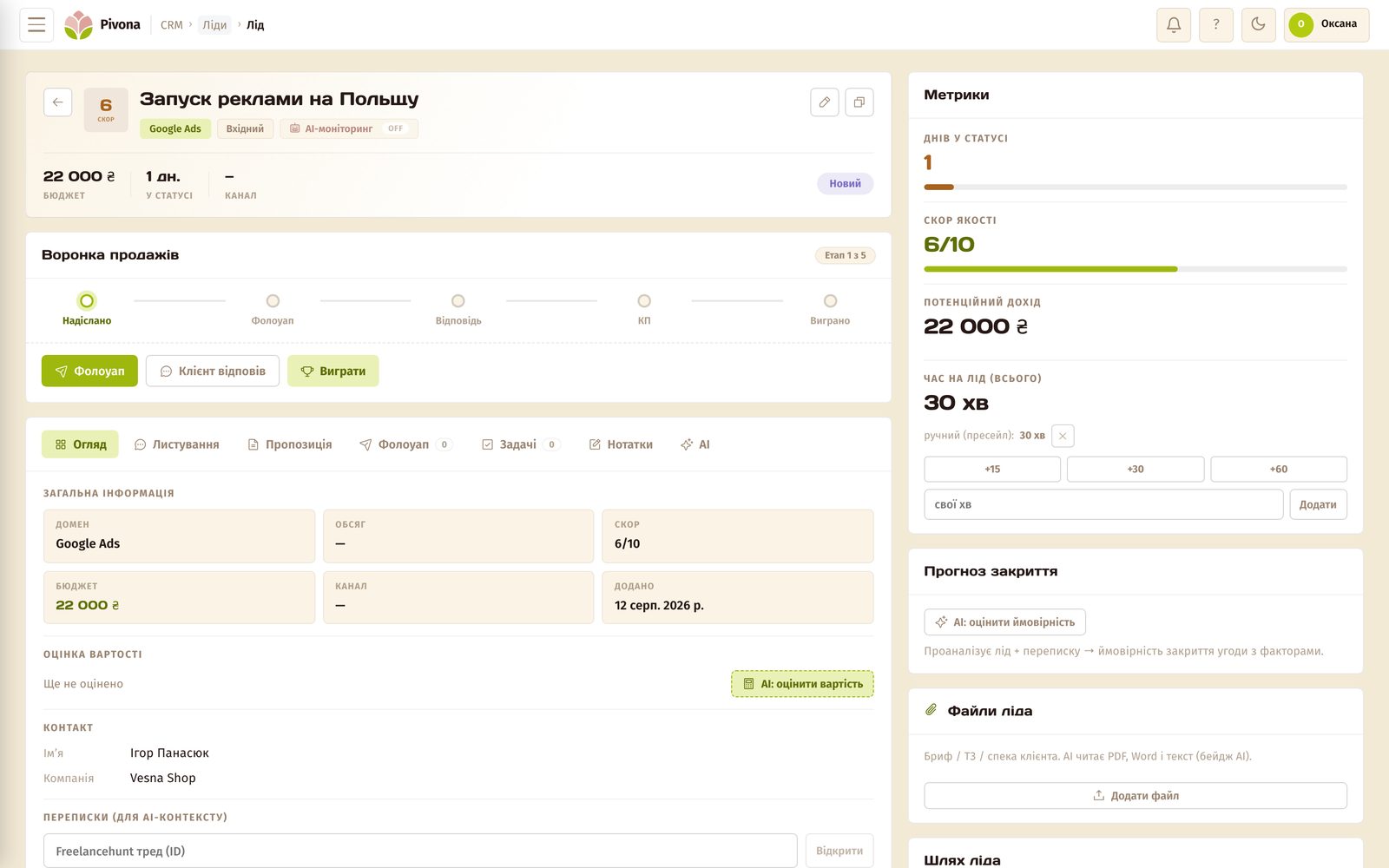
I’m building Pivona, a CRM for freelancers, so my view is biased. I drew these three signs from my own work, and built Pivona from the same ones. That explains the overlap, but it doesn’t prove the tool is right for you. The screenshots below are from the demo account, the numbers on them are for demonstration, and all they prove is that a screen like this exists.
Revenue per client. A client’s card holds all their invoices, and you can see straight away how much has been invoiced, how much has been paid, and how much they currently owe. No bank statement, no calculator, no “let me think”.
Leads waiting right now. The dashboard shows how many leads are waiting for your reply and how many follow-ups are open. Pivona doesn’t calculate monthly losses. It shows who’s hanging right now, and that’s a number, not a memory.
Follow-up. Every lead has a “Follow-up” stage and a counter of days in status. Once a day the system checks the leads in the funnel, and if a client has gone quiet, it flags when it’s time to write again and drafts the message. You send it yourself.
The three signs work regardless of what you choose, and if you’re in the group that doesn’t need to switch, feel free to skip this section. If you want to test it on your own clients: the first 30 days are free, no card required, at pivona.io/pro-pivona.