
Notion is a builder. You can put together anything in it, and that’s exactly why there’s nothing in it at the start. Pivona, a CRM and planner for freelancers in Ukraine, is built for one job: clients, the money tied to each of them, your FOP paperwork, and leads from exchanges. The number of features has nothing to do with it. The whole difference is who builds the structure and who maintains it afterwards. In Notion, that’s your job; in Pivona, the structure is there from day one.
I’m not neutral: Pivona is my product, and I make money from it. But I also tried running my clients through Notion, so I know exactly where it breaks.
They don’t have much in common: both hold clients with tasks, and both hand your data back to you as files. Everything after that is different work.
What you do, and what’s already done
- Who builds the structure. Notion: you build it yourself, from scratch or from a template in the gallery. Pivona: the structure is already there, with clients, leads, finances and tasks linked together.
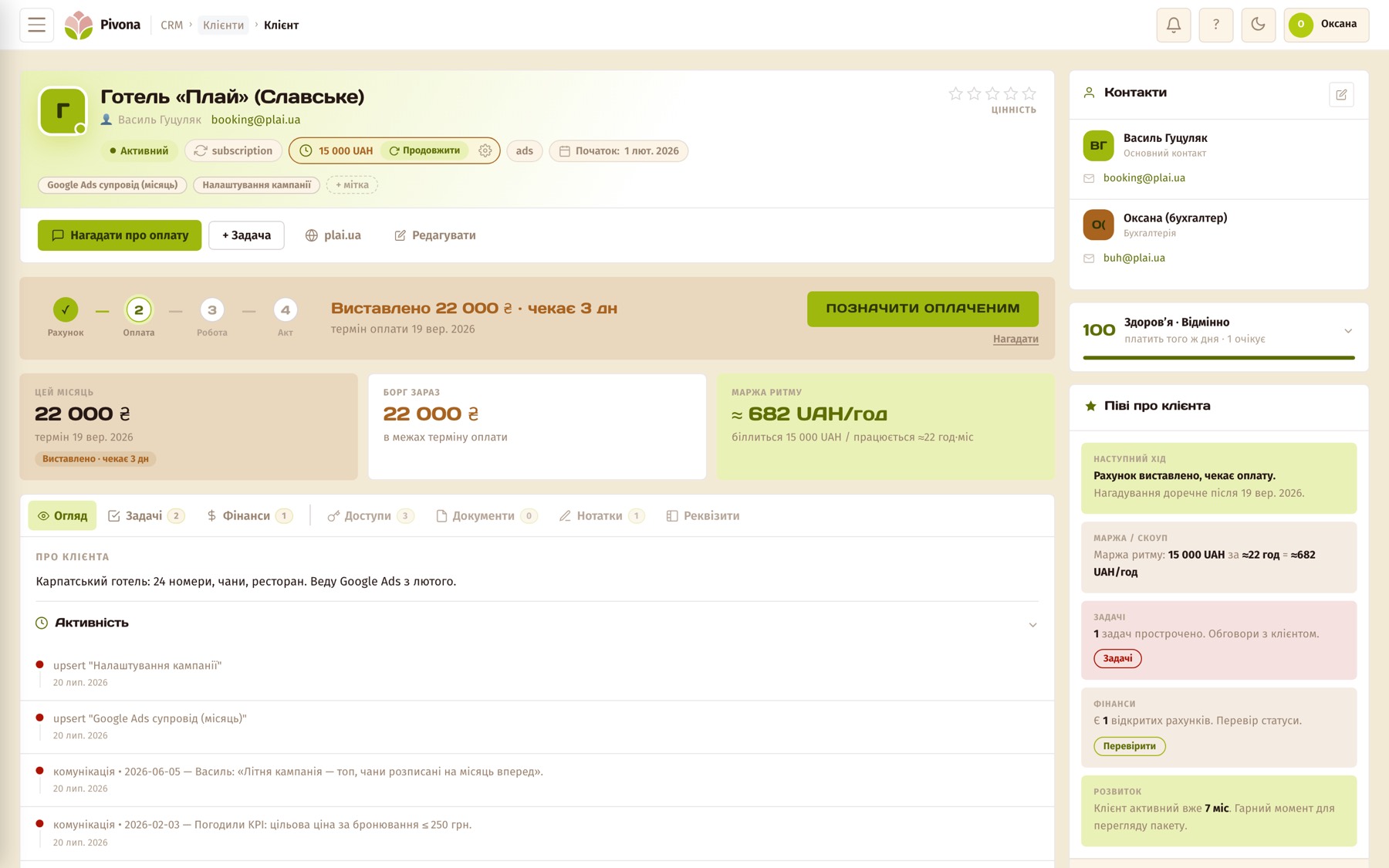
- Money per client. Notion: you calculate it yourself with formulas. Pivona: for every client you can see how much has been invoiced, paid and owed, and the P&L report shows profit by client.
- Invoices and acts. Notion: a page template and a PDF by hand. Pivona: generated from the client’s data, your FOP details are filled in automatically, and the output is a PDF.
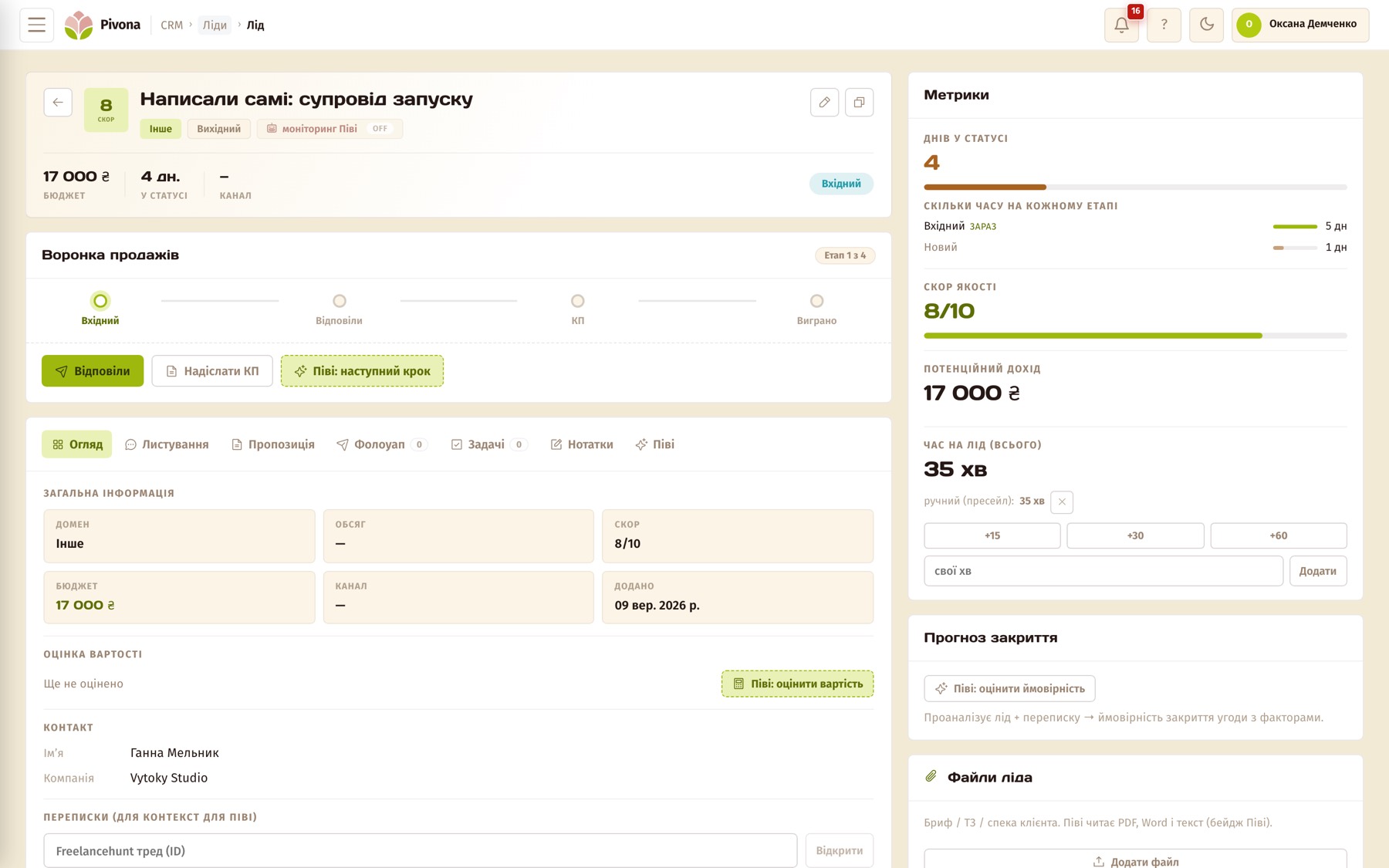
- Leads and follow-up. Notion: a lead database you run yourself, with date reminders you set yourself. Pivona: a pipeline with follow-ups, leads from Freelancehunt, and scoring. Once a day the system checks the pipeline, suggests the moment for your next message, and drafts it. You send it yourself.
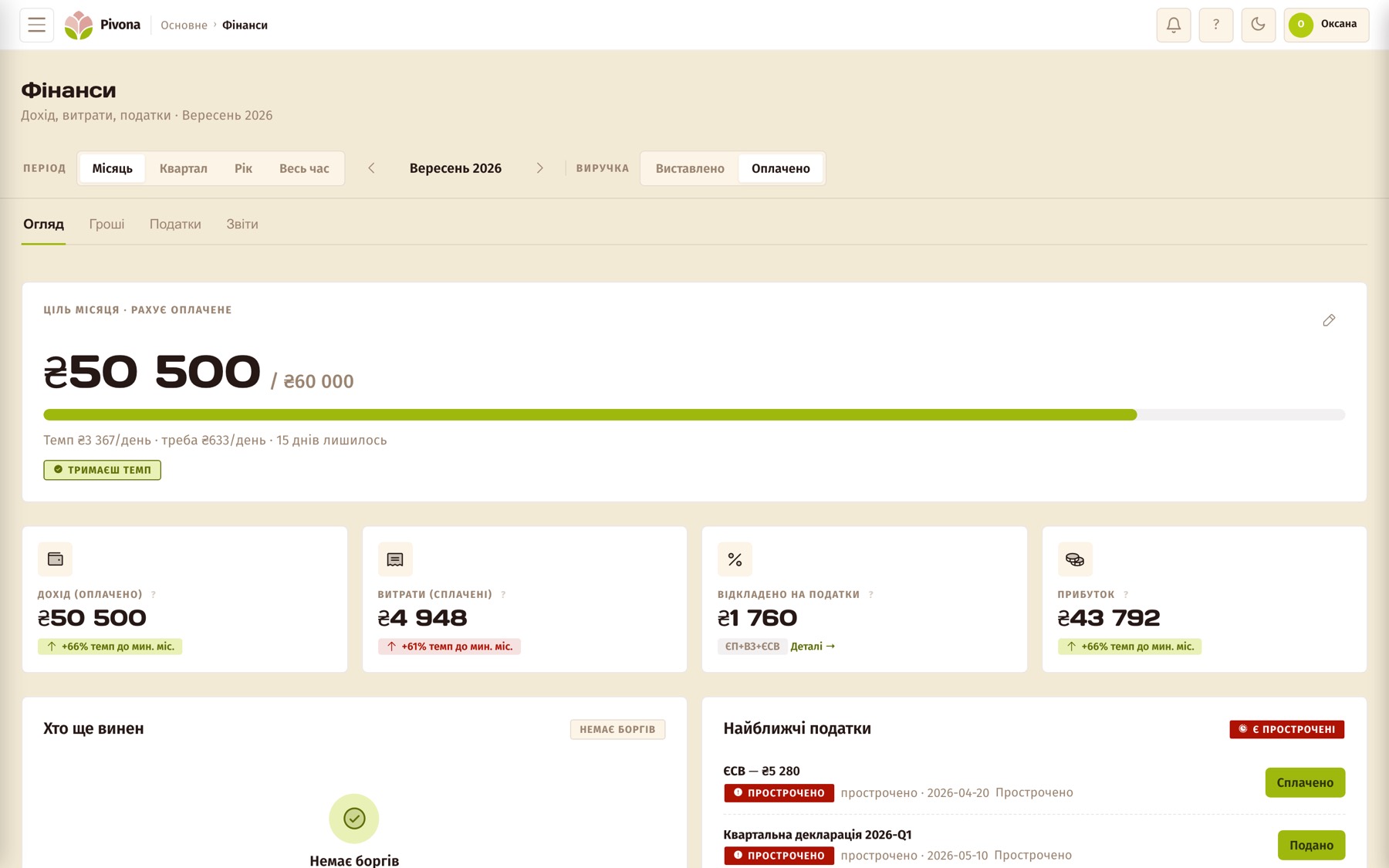
- FOP taxes. Notion: nothing like this exists. Pivona: a payment calendar for the unified tax, the social contribution (ЄСВ) and the military levy, plus declarations.
- Notes and wiki. Notion: a wiki for anything, and that’s its main strength. Pivona: there’s no free-form wiki, but notes live on client and lead cards next to the chats, and that’s exactly what the AI analytics reads.
- Team and guests. Notion: built for working together from day one. Pivona: one owner runs the account, as of September 2026.
- Offline. Notion: works. Pivona: browser only — no connection, no Pivona.
- Interface language. Notion: over ten languages, but Ukrainian isn’t one of them. Pivona: Ukrainian and English, selectable in your profile.
- Price. Notion: Free for one person, unlimited pages and databases, AI on trial only; Plus is $10 a month. Pivona: 1,290 ₴ a month, the first 30 days free with no card, then a free mode with limits.
What you’ve already built isn’t going anywhere: the wiki, procedures and the whole structure stay in Notion, and nothing gets deleted from there. Two of these ten points are worth unpacking separately.
Money per client. You can build this in Notion: a payments database, a relation to the client, and a rollup field that pulls the total from another database. I tried running clients this way, and it works exactly as long as you remember to fill in the payments database after every payment comes in. In Pivona, an invoice is issued from the card, the payment is marked on it, and the client’s total adds itself up. The maths is the same. The only difference is how many times a month you have to remember to do it.
FOP paperwork. Notion doesn’t know what an act of completed works is, or why an invoice needs your FOP details. It shouldn’t — it’s a tool built for the whole world. In Pivona, an invoice, a receipt and an act are generated from the data already on the card, and come out with your details, in Ukrainian or English, in hryvnia or any other currency at the exchange rate on the date. Choose one of three built-in designs, or your own letterhead if you have one. The client gets a document instead of a table cropped from a screenshot, and that’s also part of how they see you.
Where Notion is stronger
- A wiki for anything. Procedures, checklists and personal notes in free-form structure stay in Notion. In Pivona, a note is always tied to a client or a lead, and that’s deliberate: it’s how the AI analytics sees it.
- Offline. Notion works without an internet connection; Pivona doesn’t.
- Team and guests. In Pivona, one owner runs the account, as of September 2026.
- Integrations. Notion has thousands. Pivona has five: Telegram, Instagram Direct, Freelancehunt, Google Calendar, and an API for leads from forms. A public API and an MCP connector are in the works separately, letting an AI assistant work with your clients and tasks straight from chat: I’m testing it right now, with release in September 2026. If you want to be one of the testers, write to me.
Where Pivona is stronger
- You have five or more clients, plus leads running in parallel.
- You’re a FOP and issue clients invoices and acts with your details, in Ukrainian or English, in hryvnia or foreign currency.
- You want to see income and debt per client without formulas and without “let me remember”.
- You want your notes, chats and activity per client to actually count for something instead of just sitting there: where you communicated, what worked and what didn’t, what your average invoice is. Before Pivona, I wasn’t tracking any of this, and by gut feel the numbers looked completely different.
- Leads come in from exchanges, and you want the system reminding you about follow-up instead of your own memory.
Pivona’s real competitor here is something else entirely: “I’ll finish building it someday.” For me, that “someday” cost over 400 unanswered enquiries in six months — I counted them in the previous article.
What Pivona can’t do
- Hand over the whole account as one archive. You can export CSV files section by section, but pulling them back into one system in another tool is on you.
- Work offline.
- Live on your phone as a separate app. There’s only the browser.
- Play nicely with accounting software. There’s no direct integration with BAS or M.E.Doc.
- Cost nothing. At 1,290 ₴ a month, it’s more expensive than free Notion, and that’s a downside with no caveats.
- Show you reviews. Registration has been open since August 2026, there aren’t any reviews yet, and I’m not going to make them up.
If Pivona isn’t your only candidate, there’s a comparison with Google Sheets, HoneyBook and Bonsai.
How to decide in a minute
Open your Notion.
- Can I see income per client at a glance, without a calculator?
- Does a system remind me about follow-up, rather than my own memory?
- Do I know how many leads are currently waiting on my reply?
Three “yeses” mean your Notion is well built, and you don’t need to change it. Seriously — in that case, you can stop reading here.
Even one “no” means you’ll have to keep building the structure yourself, or take a ready-made one. There’s a third option too: leave it as it is, if you’ve only got two or three clients and you’re not losing any of them.
If you want to see how your Notion reads inside Pivona without signing up: drop your export into app.pivona.io/try. That’s one free run with no account, and it writes nothing to any database. If you’ve already decided, the first 30 days with no card required are waiting at pivona.io/pro-pivona.